01 / WRITE
Build your chapters.
Turn your topic, research papers, and answers into sections you can read, edit, and approve before export.
Introduction · Literature review · Methodology
Start writingTHE PROJECT WORKSPACE
Write research-backed chapters and get your finished Word project ready for printing. One place to make progress, review every change, and leave with a document you understand.
Chapter writing uses credits. Document formatting is free.
TWO WAYS TO MOVE FORWARD
Start with what you need today. Your writing and your finished document each have a clear path.
Turn your topic, research papers, and answers into sections you can read, edit, and approve before export.
Bring your existing Word file. Check headings, page breaks, contents, and front matter; choose what to fix.
THE WRITING WORKSPACE / 01
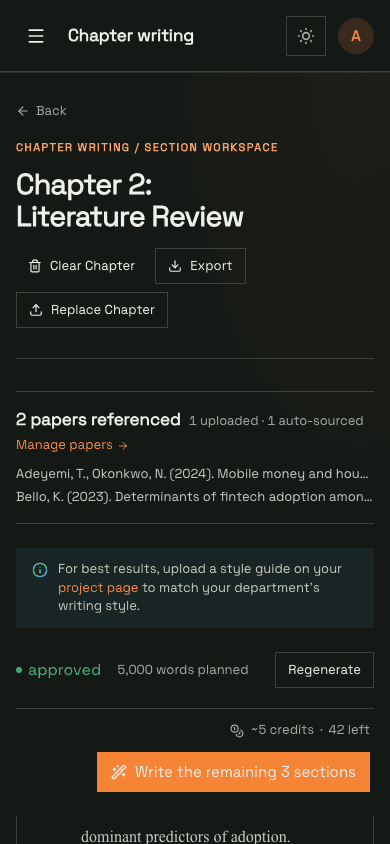
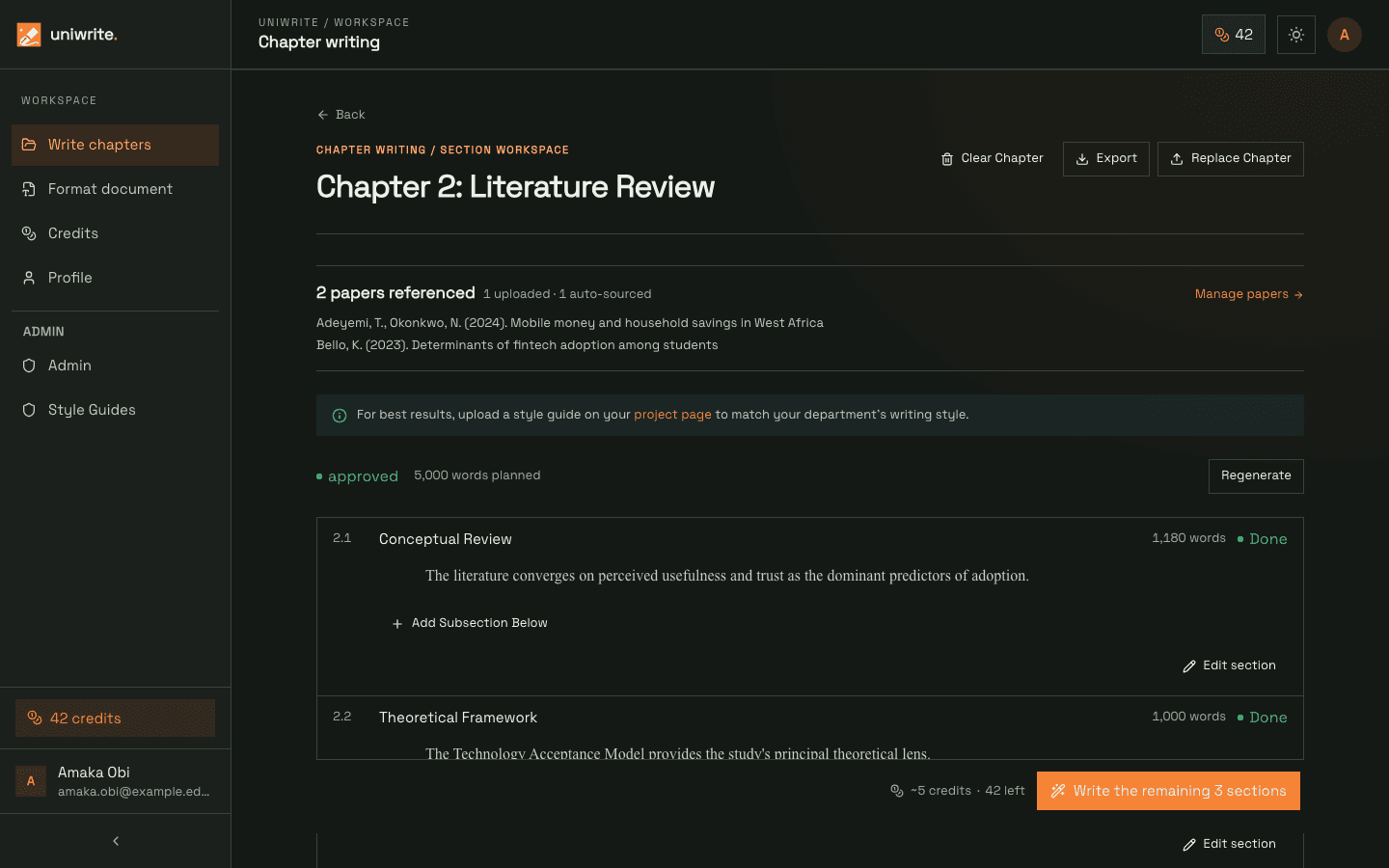
Uniwrite helps you find academic papers, then builds Chapters 1–3 around your own project context. Work section by section and stay in control of what gets kept.
THE FORMATTING WORKSPACE / 02
Upload a Word project you already have. Uniwrite finds formatting issues, shows the proposed changes, and lets you decide what goes into the next version.
BUILT FOR THE WORK THAT MATTERS
Open the papers behind your writing and verify the references you plan to use.
See which section is being written, what is ready to review, and what needs your input.
Check formatting proposals and document versions before you download the result.
SIMPLE BY DESIGN / 03
Buy credits when you need help writing chapters. The document formatting workspace uses no credits.
Bring a Word project from anywhere. Inspect proposed fixes and download a new version.
Writing uses credits as you generate. Review a section before moving to the next.
Everything you need to know about UniWrite
UniWrite has two workspaces. One helps you research, draft, edit, and export Chapters 1–3. The other checks an existing Word project for formatting issues, lets you review proposed changes, and produces a new document version.
Yes. Upload a .docx file, including one written elsewhere. UniWrite proposes formatting changes such as heading and page-break fixes. Review the suggestions and preview the result before downloading. Formatting uses no writing credits.
UniWrite currently generates three chapters: Chapter 1 (Introduction) using guided MCQ questions, Chapter 2 (Literature Review) powered by real academic paper search and RAG technology, and Chapter 3 (Methodology) with automatic research approach detection. Chapters 4 and 5 are coming soon.
Yes. Check each section against your own study, confirm that cited sources support the claims, add your own analysis, and follow your department's rules on AI-assisted work.
UniWrite works for any Nigerian university. You can upload a style guide or reference document to match your university's specific formatting and writing patterns. The export engine supports standard Nigerian academic conventions (Times New Roman 12pt, 1.5 spacing, APA 7th edition).
UniWrite searches academic paper databases and links papers to your project so you can inspect them. Research metadata and generated claims can still be wrong or incomplete, so check every important source and citation before submission.
You buy credit packages via Paystack (card, bank transfer, or USSD). Credits are used as content is generated — roughly 1 credit per 100 words. Credits never expire. No subscriptions, no recurring charges. A single credit package can be used across Chapter 1, 2, and 3 generation.